
1. Open Rubik's Cube Solver
Install Rubik's Cube Solver from Google Play and open it. The home screen leads to the main tools: solving, the virtual cube and the learning section.


2. Select the appropriate cube
Choose the cube configuration that matches the cube in your hand — 2×2, 3×3 or 4×4. Selecting the right size first means the entry grid and the solution match your cube.
3. Scan the cube using the camera
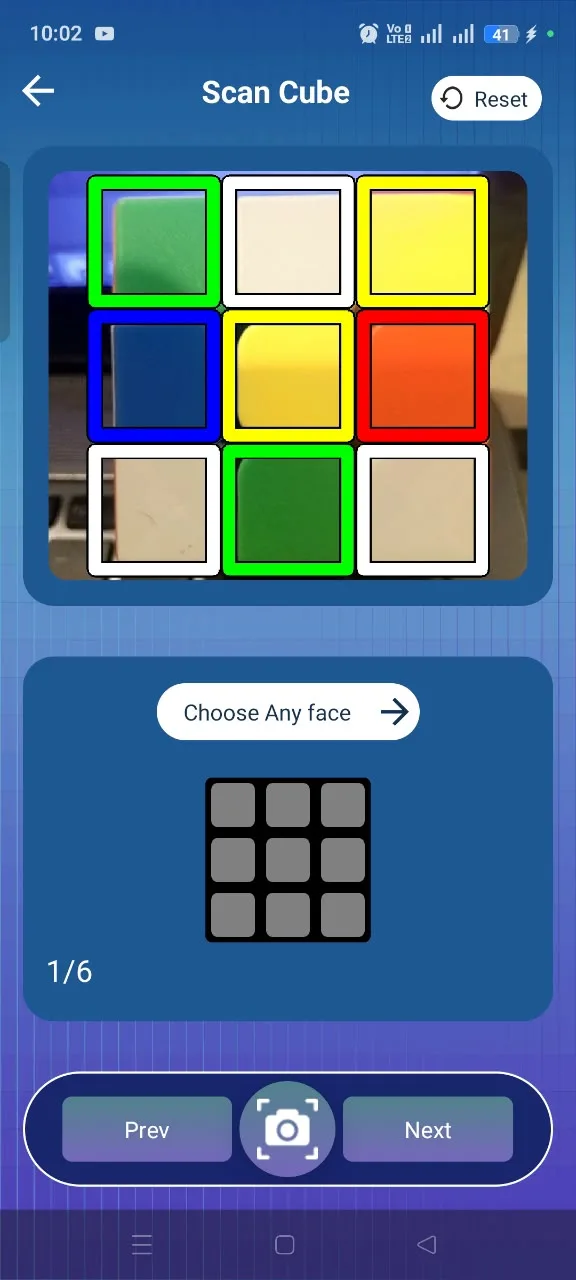
Hold each face inside the scanner frame so the app can read the colours from your camera, then move on to the next face. Even lighting and a steady hand make the read easier.
4. Review and confirm the cube input
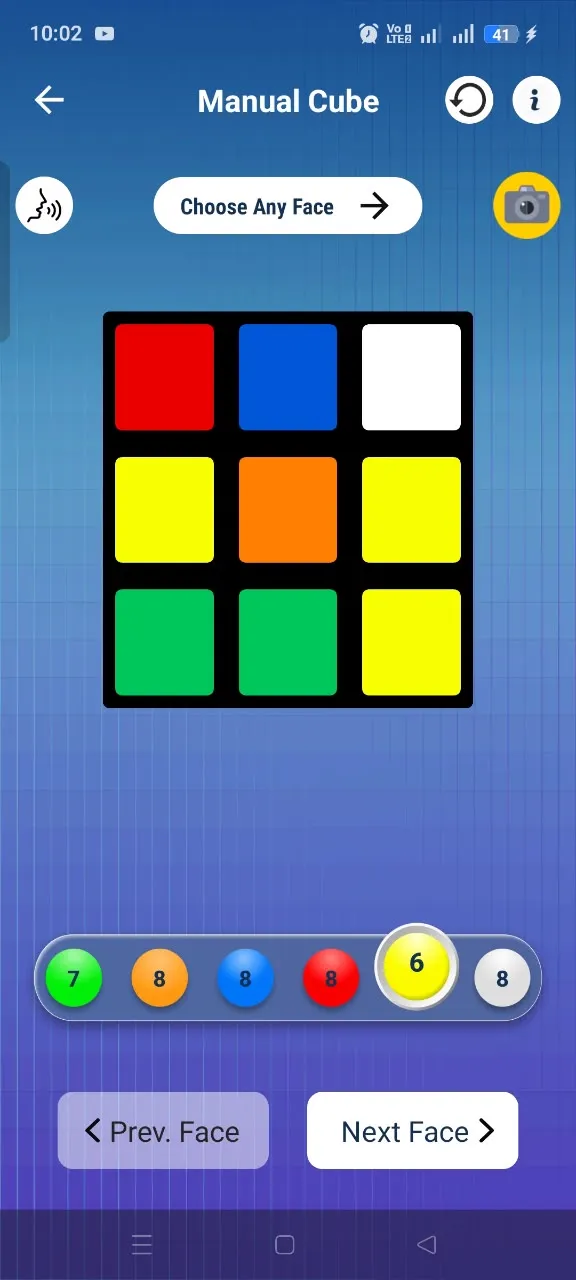
Before solving, check that the entered cube matches the real one. If a square is wrong, switch to Manual Input and tap the correct colour into place.
5. Generate the solution
With the cube confirmed, the app produces the move sequence that takes your scramble to a solved cube.
6. Follow the moves
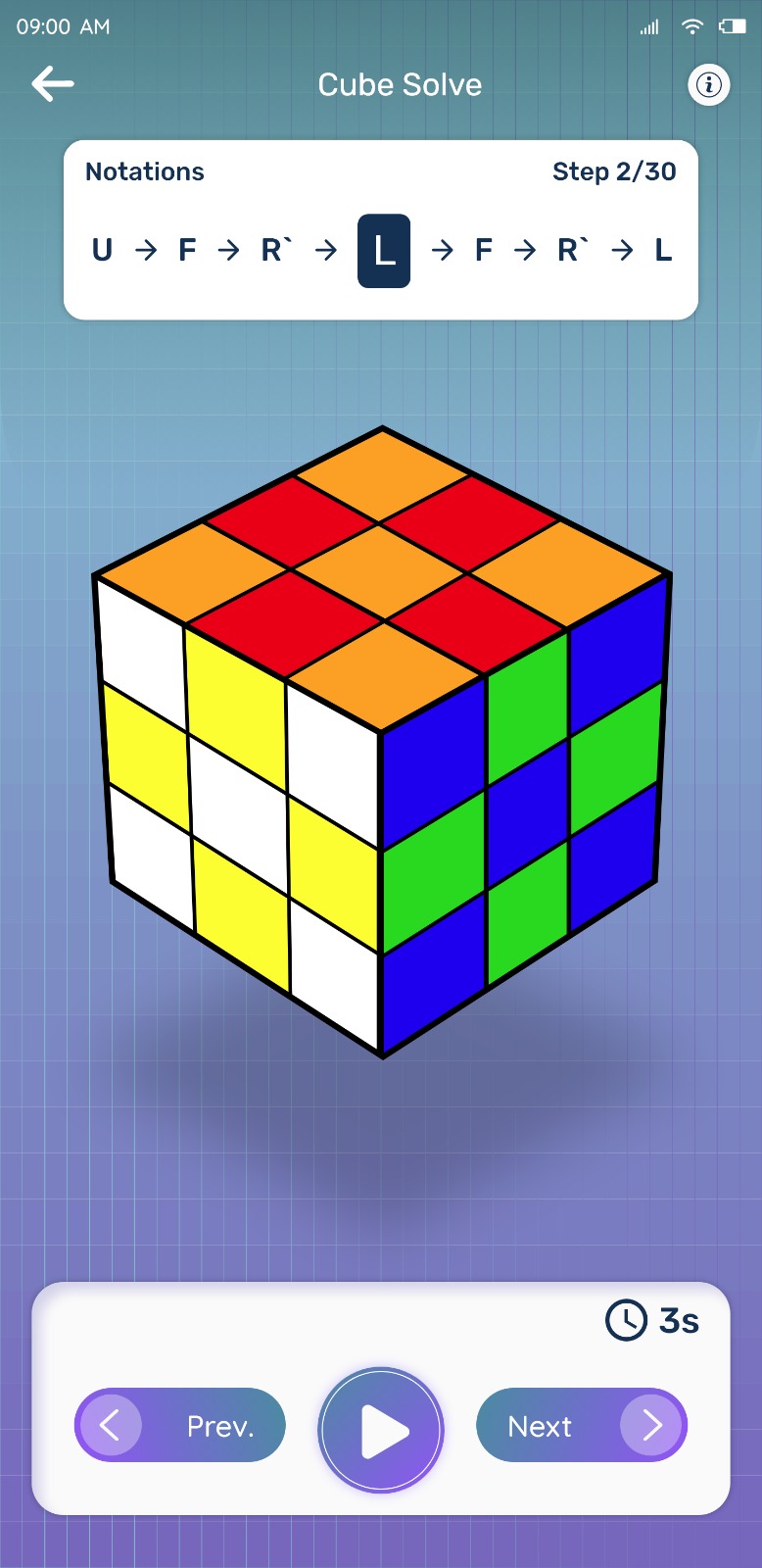
Keep the phone beside the cube and apply the moves in order. Step forward as each turn is completed, or step back if you need to re-check one.
Tips for a smooth phone solve
- Use even, indirect light so colours read consistently
- Keep the cube in the same orientation between faces
- Prop the phone up so both hands are free for the cube
- Switch to manual input the moment a colour looks wrong
Try Rubik's Cube Solver
Scan your cube and get step-by-step solving instructions in seconds. Available for Android on Google Play.